Open YouTongue in your browser to sign in and keep your words — this app’s browser can’t sign you in with Google.

Open in Chrome
  1. Tap ••• in the top-right corner of this screen
  2. Choose Open in external browser (TikTok: Open in browser)

YouTongue for Android

Hear any word — from any app

Select a word in Chrome, Telegram or a book and tap YouTongue: the clip and the meaning open on top. Daily dictation and shadowing in your pocket, the same account as here.

Get it on Google Play
On a computer? Scan with your phone.
  • Search, meanings and the clip card over any app
  • Daily dictation, Endless, decks from your words
  • Shadowing: a score for every sound
  • Free · Pro works on the site and in the app
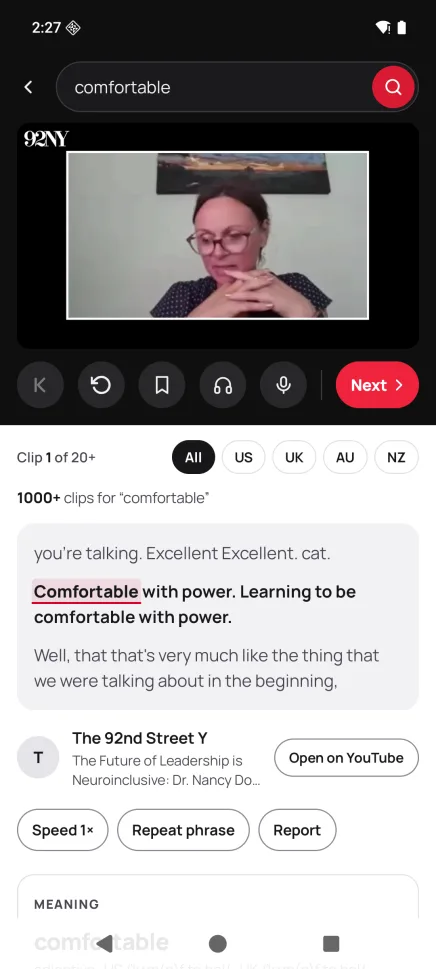
The app: search results for “comfortable” with the clip, the transcript and the meaning
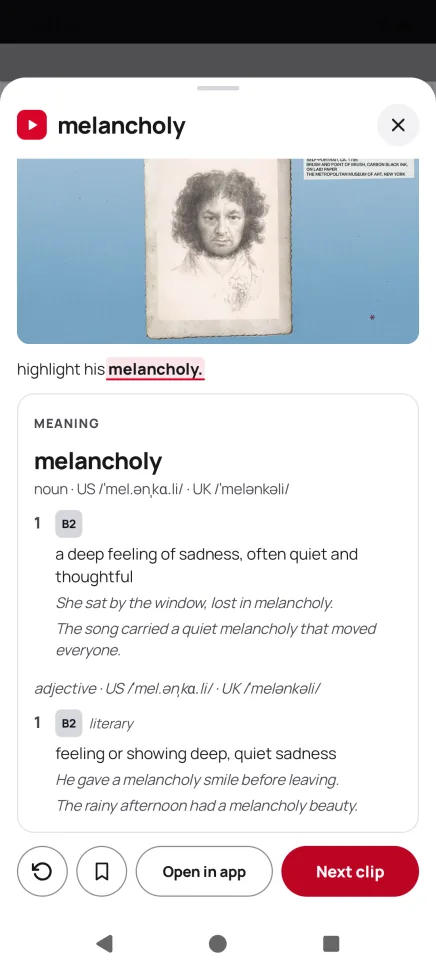
The card over another app: “melancholy” with the clip and its meaning
© 2026 YouTongue Contains Parliamentary information licensed under the Open Parliament Licence v3.0.Contains information licensed under the Scottish Parliament Copyright Licence.Includes material from U.S. federal agencies, in the public domain, and from Voice of America.The appearance of U.S. Department of War (DoW) visual information does not imply or constitute DoW endorsement.Contains public sector information licensed under the Open Government Licence v3.0.Includes material from Australian Government agencies licensed under CC BY 4.0.Includes material from Parliament Television, New Zealand House of Representatives.Other clips are embedded from their creators’ YouTube channels; all rights remain with their owners.